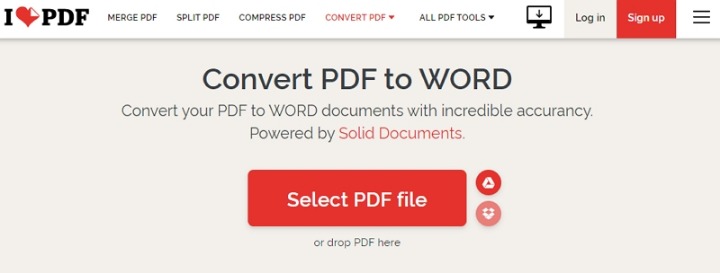
Upload: Drag and drop your PDF or image, or select it manually from your device via the dashboard. Connections to cloud storage such as Dropbox, Google Drive, Amazon S3, or Microsoft OneDrive can be enabled to streamline intake.
Verify in Seconds: The system instantly analyzes the document using advanced AI to detect fraud. It examines metadata, text structure, embedded signatures, and potential manipulation to surface anomalies quickly.
Get Results: Receive a detailed report on the document's authenticity directly in the dashboard or via webhook. The report shows exactly what was checked and why, providing transparent evidence for each flagged item.
How fake PDFs are created and common signs to watch for
Understanding how a fake PDF is produced helps prioritize the most telling indicators of tampering. Attackers commonly begin by exporting or scanning a legitimate document, then editing content using PDF editors, image editors, or by manipulating the file’s internal object stream. Simple changes such as altering dates, amounts, or names may be done by editing the text layer; more sophisticated fraud involves replacing embedded images, modifying vector content, or reassembling pages from multiple sources. Other tactics include removing or forging digital signatures, stripping or altering metadata, and creating incremental updates that hide prior content.
Key signs to look for include inconsistent font metrics across pages, mismatched or missing embedded fonts, and odd spacing that suggests copy-paste edits. Metadata discrepancies are especially revealing: creation and modification timestamps that contradict document content, author fields that don't match the expected origin, or producer strings indicating unusual conversion tools can all hint at tampering. Rasterized pages (a full-page image inserted into a PDF) prevent text-selection and can indicate an attempted cover-up of edits or redactions. Embedded layers, attachments, or JavaScript objects may also be abused to hide manipulation or to create dynamic content that masks changes.
Other red flags include invalid or self-signed certificates for supposedly certified documents, signatures that reference altered byte ranges, and mismatched checksums when comparing transferred files to originals. In institutional settings, cross-referencing with known-good records—database entries, signed copies, or archival systems—provides a high-confidence method to spot contradictions. Recognizing these patterns quickly can prevent fraudulent contracts, forged credentials, or doctored invoices from being accepted as genuine.
Automated techniques and tools for reliably detecting fake PDFs
Automated detection combines multiple complementary analyses to build a robust verdict on a document’s authenticity. At a foundational level, metadata extraction and parsing reveal timestamps, authorship, and tool chains. Byte-level verification such as hashing and comparison against known originals detects any change to the file content. Structural analysis inspects object streams, cross-reference tables, and incremental update chains to find hidden revisions or appended content. Optical checks include font and glyph consistency, embedded-image forensics, and OCR-based comparison between the visible text and the selectable text layer to find discrepancies.
Signature verification is central for legally binding PDFs: validating certificate chains, checking revocation status, and verifying the signed byte range identifies whether content was modified after signing. AI-driven models add another layer by evaluating language patterns, layout anomalies, and improbable visual edits. Natural language processing can flag inconsistent terminology or statistical outliers in phrasing that suggest manual tampering. Image forensics can detect cloned regions, resampling traces, or compression artifacts typical of composited images.
Practical tools implement these techniques as pipelines that produce transparent, actionable results. Automated systems can be integrated into workflows via APIs and webhooks for continuous screening. For quick verification, try detect fake pdf to run a multi-point analysis that combines metadata checks, signature validation, and AI anomaly detection. The best solutions provide a human-readable report showing which checks passed, which failed, and the exact evidence—file offsets, metadata fields, and highlighted page regions—so that auditors, legal teams, or compliance officers can make informed decisions.
Workflow: Upload, Verify in Seconds, Get Results — practical steps and real-world examples
Start with a simple, repeatable workflow to reduce false negatives and to speed decision-making. First, intake the document via drag-and-drop, manual selection, or automated ingestion from cloud storage. Ensure the file is preserved in its received state and record a cryptographic hash to prevent later disputes about changes made during analysis. Next, run a layered verification: metadata extraction, structural forensic analysis, OCR cross-checks, and cryptographic signature validation. Capture logs of every processing step and keep copies of raw and parsed outputs for auditability.
Real-world examples demonstrate how this approach prevents costly mistakes. In one case, a vendor's invoice appeared identical to a prior legitimate invoice but had a modified bank account on the final page. Structural analysis highlighted an incremental update appended to the file and image forensics revealed a cloned logo with different compression artifacts. Another example involved a forged academic certificate: the visible layout matched the authentic template, but metadata and embedded font checks showed the use of a consumer PDF generator rather than the institution’s certified publishing tool. Signature verification failed in the third example, where a contract was signed with a certificate that had been revoked months earlier; the webhook alert prevented funds from being released.
Delivering results requires clarity: reports should list each performed test, the raw evidence, and a summarized risk score. Provide integrations with document processing pipelines and APIs to automate responses—quarantine suspicious items, notify compliance teams, or trigger human review. Transparent, reproducible reports support legal admissibility and allow stakeholders to trace exactly why a document was flagged. Emphasize flagging both technical anomalies and contextual mismatches, because a file may be technically intact yet suspicious in provenance or intent due to external inconsistencies.